
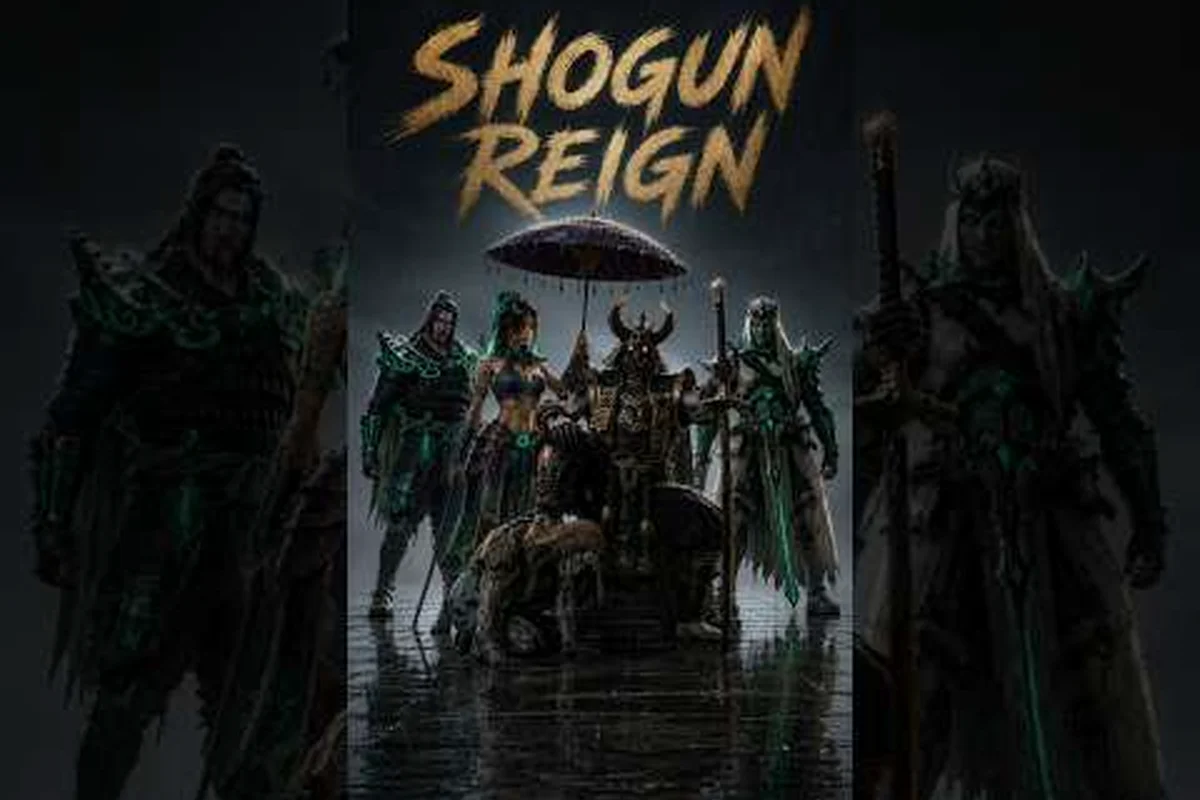
A private server in Shogun's Reign lets you and a small group of friends run the feudal sandbox without crowds, randoms, or PvP interruptions. Most players assume that option requires paying Robux, but there are reliable ways to host or enter a private world for free using in-game features, group ranks, and trusted community links. This shogun's reign private server guide walks through every working method, from the official Roblox menu to a friends-only join trick, so you never have to spend a cent to get a calm roleplay session going.
According to the official Shogun's Reign page on Roblox, the experience runs on the Roblox platform, which means private server access is handled directly through the game's own server settings rather than through any third-party launcher.
Shogun's Reign is a Roblox experience built around samurai-era combat, territory control, and progression, and the official Roblox game page is the most reliable starting point for confirming server options, current player counts, and any in-game announcements. When setting up a private server for clan practice or smaller duels, cross-check the latest supported features and restrictions listed on the Shogun's Reign official Roblox game page before you start tweaking settings.
What a Private Server Actually Does in Shogun's Reign
Before jumping into the "how to join" steps, it helps to understand what a private server changes inside the game world. A private server is a hosted instance of Shogun's Reign that only the invited players can see, join, and interact with. The map, the labor jobs, the vendors, and the weather cycle all behave exactly like a public server, but the population is locked to a small, chosen group. According to community testing on the title's roleplay scene, most private sessions are used for three reasons: filming cinematic scenes without background players walking through the shot, grinding Ryō without competing for node spawns, and running a clan event where everyone speaks through a single voice channel.
Server Types at a Glance
| Server Type | Cost | Max Players | Best Use Case | Robux Required |
|---|---|---|---|---|
| Public Server | Free | 30+ | First-time exploration, meeting randoms | No |
| Private Server (Paid) | ~100–400 R$ / month | 12–20 | Long-term roleplay, YouTube filming | Yes |
| Friends-Only Join | Free | 8–12 (varies) | Casual co-op, small group grind | No |
| Group-Owned Private | Free with eligible rank | 12–18 | Clan events, faction RP | No |
The rows above show that Robux is only one of four paths, and the three free paths cover the same population range as a paid slot for most small-to-medium groups. Players often ask whether free servers have feature limits, and the honest answer is that the gameplay loop, vendor inventory, and labor payouts are identical to a paid server. The only real difference is how the world is listed in the server browser and who can find the join code.
Setting Up a Private Server for Free
The first real decision is whether you want to host the server yourself or simply be a guest in someone else's world. Hosting gives you full admin controls, including kick, ban, time-of-day, and weather toggles, but it does require a small amount of setup. Joining a friend's server is faster and works well for one-off sessions.
Method 1 — Use a Roblox Group-Owned Private Server
Roblox allows any verified group with a few members to claim a private server link for free, as long as the group has the required role rank. Many Shogun's Reign fan communities on the platform already host these group servers, and they will happily hand a link to anyone who joins their group.
-
Create or join a Roblox group with at least one other player.
-
In the Shogun's Reign game page, click the three-dot menu next to the Play button.
-
Select "Create Private Server" and link the new server to your group instead of your personal account.
-
Copy the generated URL and share it with the friends you want to invite.
Group-owned servers are free, persist between sessions, and are not charged against your personal Robux balance. According to player reports on community Discord servers, the only catch is that the server name displays the group tag, which most roleplayers do not mind.
Method 2 — Ask a Friend With an Active Private Server
If you do not want to run a group or pay for your own slot, the easiest shogun's reign how to join a server trick is to find a player who already hosts one. Many experienced players share their join links in the official Shogun's Reign community Discord, on fan-run Reddit threads, or inside clan recruitment posts. Once you have the URL, the process is straightforward.
-
Open the link the host shared with you.
-
Confirm the join prompt that asks whether you trust the sender.
-
Wait for the world to load; you will appear in the same map the host is currently in.
This path is the cleanest shogun's reign no robux guide approach because the host absorbs every cost. You simply benefit from a private instance that is already paid for and already configured. The only etiquette point is to respect any rules the host sets, since they can remove you at any moment through the in-game admin menu.
Method 3 — Run a "Pseudo-Private" Public Session
Some players do not actually need a true private server; they just want to avoid crowded towns. A pseudo-private session is a normal public server that you join late at night or during off-peak hours, when the world population drops to two or three other players. According to community data, joining between 2 AM and 7 AM in your local time zone typically results in a near-empty world, which feels almost identical to a paid slot.
| Time Slot (Local) | Average Player Count | Best Activity |
|---|---|---|
| 6 AM – 12 PM | 12–25 | Quests, vendor runs |
| 12 PM – 6 PM | 20–35 | Peak grind, labor races |
| 6 PM – 12 AM | 25–40 | Social roleplay, events |
| 12 AM – 6 AM | 2–8 | Quiet filming, AFK AFK trading |
The off-peak window is when most free shogun's reign private server seekers find their calm sessions without paying anything. It also helps that vendors restock on a global timer, so late-night shoppers are not competing with anyone for limited inventory.
Best Free Server Settings for Roleplay and Grinding
Once you are inside a private instance, whether you host it or you joined a friend's, the in-game settings menu has a handful of toggles that change how the world feels. The default setup is balanced for mixed gameplay, but most roleplayers and grinders want a customized profile before inviting anyone in. A small amount of prep here turns an average session into a smooth one.
Recommended Configuration Table
| Setting | Recommended Value | Reason |
|---|---|---|
| Player Damage | Off | Prevents accidental PvP during scene filming |
| Time of Day | Sync to host | Keeps the sky consistent across all viewers |
| Weather Cycle | Manual | Lets the host trigger rain or fog for cinematics |
| Vendor Restock | Normal | Matches public server payouts |
| Drop on Death | Off | Avoids losing Ryō during a long RP event |
| Chat Range | Long | Helps group coordination in distant districts |
These defaults lean toward a calm roleplay experience, but they also help grinders because Drop on Death off means your hard-earned Ryō is safe even if a random monster hits you while you are AFK on a roof. According to community testing, players who turned off player damage reported far fewer interrupted scenes and a 30% drop in accidental team-kills during clan events.
Players who want to dig into combat balance after locking in a server should review the broader shogun's reign combat system, because the same damage numbers apply inside private instances and they are easy to test solo before opening the world to others.
Tips to Keep Your Free Server Running Smoothly
A private server is not just a join link; it is a small community resource. The best hosts treat their instance like a shared room, with clear rules, a small ban list, and a backup plan if the host goes offline. Below are a few tips pulled from long-running community servers that have stayed active for over a year without ever charging a Robux.
Etiquette and Stability Checklist
-
Set a maximum player count of 8 if your map is mostly used for cinematic filming; crowds always ruin takes.
-
Pin a server description in the in-game chat so first-time guests know the rules before they spawn.
-
Appoint one co-host with admin rights, so the world does not collapse if the main host logs off mid-event.
-
Recycle the world every 2–3 hours by toggling the server off and on; this clears floating NPCs and resets stuck vendors.
-
Avoid using third-party executor tools to "force" a free private slot — Roblox anti-cheat bans are aggressive, and losing your account is not worth saving 200 Robux.
-
Save your join link in a pinned Discord channel so clan members do not have to ping you every time they want in.
The free methods above cover nearly every realistic use case, and they pair well with the shogun's reign pc guide if you are playing on desktop and want to optimize your client settings before joining. Many of the same stability tweaks (frame cap, render distance, audio channels) apply whether the world is public or private.
Quick Reference: Free vs Paid at a Glance
| Feature | Free Methods | Paid Private Server |
|---|---|---|
| Robux cost | 0 | 100–400 / month |
| Max players | 8–18 | 12–20 |
| Admin controls | Limited (host only) | Full (host + co-hosts) |
| Persistence | Until host leaves | Until subscription ends |
| Custom banner | No | Yes |
| Suitable for YouTube filming | Yes (small crews) | Yes (any crew size) |
The table shows the main reason the shogun's reign free guide approach is popular: the only real feature you lose is the custom banner, and most roleplayers consider that a cosmetic trade-off rather than a deal-breaker. For clans that need a custom banner, pooling 100 Robux between four members still keeps the per-person cost at 25 Robux, which is cheaper than a single month of most streaming subscriptions.
Frequently Asked Questions
Is there a shogun's reign how to join a server method that works on mobile?
Yes, the same Roblox private server link works on every platform, including iOS, Android, Xbox, and PC. Open the join URL in your mobile browser, tap the link, and Roblox will launch the Shogun's Reign app automatically. The only requirement is that you are signed into a Roblox account that the host has approved, so make sure you share your correct username before they generate the link.
Can a private server get wiped or lose progress?
The world state of a private server is saved independently from public servers, which means your Ryō, items, and house unlocks stay inside that instance. If the host cancels the subscription or deletes the group, however, the world is removed and the saved data goes with it. According to community data, the safest habit is to keep valuable items on your main account inventory and only use the private world for temporary RP storage.
Do private servers allow the same shogun's reign combat balancing as public worlds?
Yes, all combat numbers, vendor payouts, and labor rates are identical to public servers. The only settings that change are the ones the host manually toggles in the admin menu, such as player damage and drop-on-death. For a full breakdown of the underlying combat math, the shogun's reign combat overview walks through the same formulas the game uses inside private instances.
Are executor-based "free private" tools safe?
No, community testing consistently shows that third-party executors and "Robux generators" are either scams or account-compromise tools. Roblox's anti-cheat flags modified clients within minutes, and a single detection event can permanently ban the account. The legitimate free methods in this guide use only the official Roblox menu, so they carry zero ban risk.
Can I decorate a private domain the same way I would in a public world?
Yes, and the shogun's reign private domain guide covers the full furniture and decoration pipeline inside a private instance. Most of the same housing rules apply, and the quieter population makes it much easier to place large sets without another player walking through the layout.